
Azmarq · Unified Inbox
One agent workspace for chats, tickets, and ownership
Omnichannel inbox plus ticket management — queues, SLA, board/list views, auto-raise rules, and Agent Manager for teams, routing, and seats — with My CDP context on every thread.
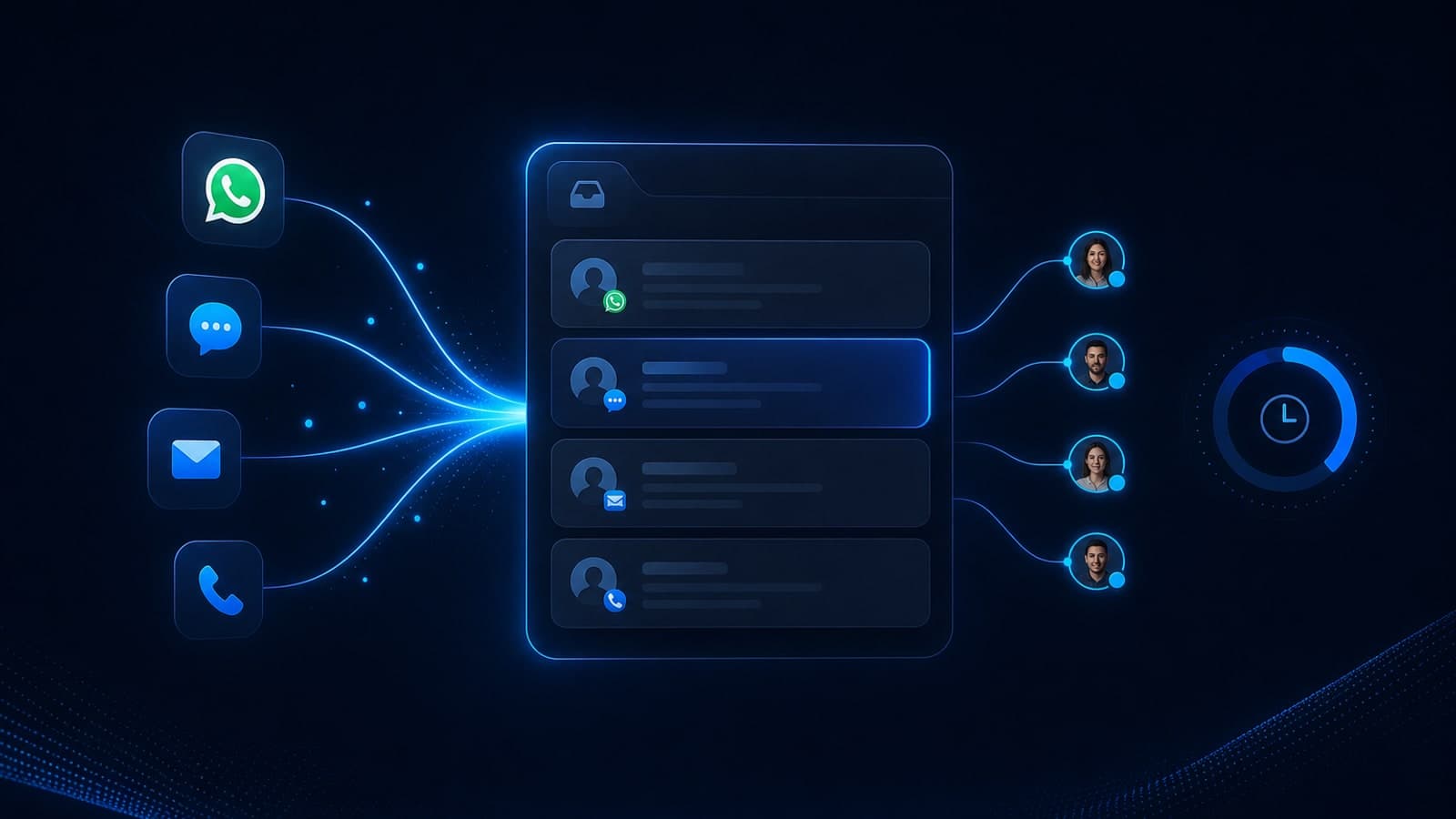
Omnichannel inbox · tickets · SLA · Agent Manager
Unified Inbox
Shared workspace · CDP context on
Channels
Plan-entitled
Tickets
Board + list
Routing
Teams · seats
Context
My CDP
AI handoff
With transcript
CTWA
Owned leads
From noise to owned work
- 01Connect plan-entitled channels
- 02Define queues, auto-raise, and SLA
- 03Staff teams and routing in Agent Manager
- 04Reply with CDP context in-thread
- 05Accept AI escalations without restarting
- 06Close the loop into journeys when nurture fits
Omnichannel
WA · SMS · RCS · email · social · voice
Tickets & SLA
Queues · board/list · auto-raise
Agent Manager
Teams · routing · seats
Context
My CDP · journeys · CTWA
Clarify first
Unified Inbox vs tab-hopping “WhatsApp CRM”
Shared inboxes fail when they’re just another chat window. Azmarq Unified Inbox is the ownership layer — tickets, SLA, routing, and CDP — which is what teams mean when they say WhatsApp CRM.
Unified Inbox
Operating layer
Omnichannel queues, tickets, Agent Manager, and CDP context for sales and support.
Phone WhatsApp apps
Personal silos
Fine for a founder — fragile for multi-agent SLAs, audits, and campaign-aware CX.
AI Agent Studio
Automation layer
Deflects and qualifies — then hands off into Inbox when a human should own the reply.
Explore AI Agents →Omnichannel
One workspace — plan-entitled channels, zero tab hopping
WhatsApp, SMS, RCS, email, Instagram, Facebook, voice, and CTWA conversations land in a shared inbox when your plan includes them. Agents reply from one queue instead of juggling apps.
- Channel filters and a unified conversation list
- Plan-gated entitlements kept honest (no fake “all channels free”)
- Collision awareness so two agents don’t answer the same thread
- Internal notes that stay off the customer channel
Channel queue
Pricing question
RCS
Delivery update
Invoice request
SMS
STOP acknowledgment
Ticket management
Queues, boards, and SLA for teams that measure ownership
Auto-raise tickets from channels, intent, or keywords. Work board or list views. Track SLA so high-intent chats don’t die as unread bubbles.
- Queues with backlog → doing → done visibility
- SLA timers supervisors can actually coach against
- Auto-raise rules from keywords, intent, or channel events
- Board and list views for different team rhythms
Ticket board
SLA · 12m leftBacklog
Doing
Done
Agent Manager
Teams, seats, and routing that match how you staff
Agent Manager is where you organize teams, routing logic, and seats — so the right person owns the next reply without a spreadsheet of WhatsApp logins.
- Team and seat administration
- Skills / queue-oriented routing patterns
- Clear ownership when volume spikes
- Scale seats via add-ons when the plan needs more agents
Agent Manager
My CDP
Every thread carries who the customer is
Segments, journey history, opt-ins, and attributes sit beside the conversation — sales and support stop asking the same questions twice.
- Contact sidebar with CDP attributes
- Journey and campaign context when available
- Consent / opt-in awareness before marketing replies
- One identity across WhatsApp, SMS, email, and voice
Contact sidebar
High intent · CTWA
Last touch: WhatsApp · 14m ago · agent-ready
AI → human
AI Agent Studio escalates with context intact
Bots resolve FAQs; humans take over when judgment matters. Handoff preserves transcript and intent so customers don’t restart the story.
- Escalation from AI Agent Studio into owned tickets
- Transcript and reason codes for the human
- Guardrails decide when AI must stop
- Same inbox for bot-assisted and fully human queues
AI → human handoff
Acquisition
CTWA leads become owned conversations — not lost DMs
Click-to-WhatsApp ads open chats that need SLA and routing on day one. Unified Inbox is where paid acquisition becomes operable CX.
- CTWA conversations enter the shared queue
- Campaign context when Meta → chat wiring provides it
- Fast first-response ownership for high-intent hours
- Handoff into journeys after the first reply when nurture fits
CTWA intake
New chat · Meta ad
Voice loops
Missed calls and callbacks beside chat tickets
When Voice 360 captures a missed call or schedules a callback, ownership shouldn’t live in a separate softphone silo — keep the loop visible next to digital work.
- Voice-related work items alongside chat
- Callback ownership for CX supervisors
- Pair with journeys for missed-call → WhatsApp follow-up
- Escalate complex chats to a live call without losing the ticket
Voice + chat loop
- 01Missed call captured on Voice 360
- 02Ticket opened in Unified Inbox
- 03WhatsApp follow-up suggested
- 04Callback scheduled · owner set
Support that scales
Tab-hopping kills response time.A shared inbox restores it.
Channels are gated by plan — we don’t pretend every social surface is free forever. Confirm entitlements, seat counts, and add-ons with sales. The product job is ownership: who replies, by when, with what context.
Where teams use it
Inbox jobs across growth and CX
Contact centers
Multi-agent WhatsApp and omnichannel queues with SLA, seats, and supervisor visibility.
Performance + sales pods
CTWA and inbound leads routed to closers with CDP scores and campaign context.
E-commerce CX
Order questions, returns, and COD confirmations in one board — not five inboxes.
BFSI service desks
Ticket discipline for sensitive threads with clear ownership and escalation.
Agencies (white-label)
Operate client conversations under Azmarq with seat and channel entitlements.
AI-assisted teams
Deflect FAQs with Agent Studio, then own the hard cases in Inbox.
How it maps on Azmarq
Capability → what you run → module
Live conversations
Queues · replies · notes
Unified Inbox →Tickets & SLA
Auto-raise · board/list
Unified Inbox →Customer identity
Segments · opt-ins · history
My CDP →Paid chat intake
Meta ads → WhatsApp
CTWA Ads →Bot → human
Guardrails · escalation
AI Agent Studio →Call + chat loops
Missed call · callback
Voice 360 →
From channel noise to owned work
01
Connect
Enable plan-entitled channels into one inbox.
02
Govern
Queues, auto-raise, SLA, board/list views.
03
Staff
Agent Manager for teams, routing, and seats.
04
Resolve
Reply with CDP context; escalate from AI cleanly.
Next in the Azmarq story
FAQs
Questions about Unified Inbox
Straight answers for teams evaluating this module inside Azmarq CPaaS.
Talk to salesWhatsApp and other enabled channels on your plan — SMS, RCS, email, Instagram, Facebook, voice, and CTWA where entitled — so agents work from one queue instead of tab-hopping.
Yes. Tickets, queues, board/list views, auto-raise rules, Agent Manager, and SLA-oriented workflows help contact centers and CX teams own conversations end to end.
Yes. AI Agent Studio can resolve FAQs then escalate to humans with transcript and intent preserved in Unified Inbox.
Unified Inbox is Azmarq’s shared workspace for live conversations and tickets — the operating layer teams mean when they say WhatsApp CRM.
Yes. Contact attributes, segments, journey history, and opt-in state can sit beside the thread so sales and support don’t restart the customer story.
Click-to-WhatsApp conversations can land in the shared queue with ownership and first-response SLA — then continue into journeys when nurture fits.
Give every chat an owner — and an SLA
See Unified Inbox with tickets, routing, and CDP context on a demo.
